Image Filters
Image Filters
Interaction:
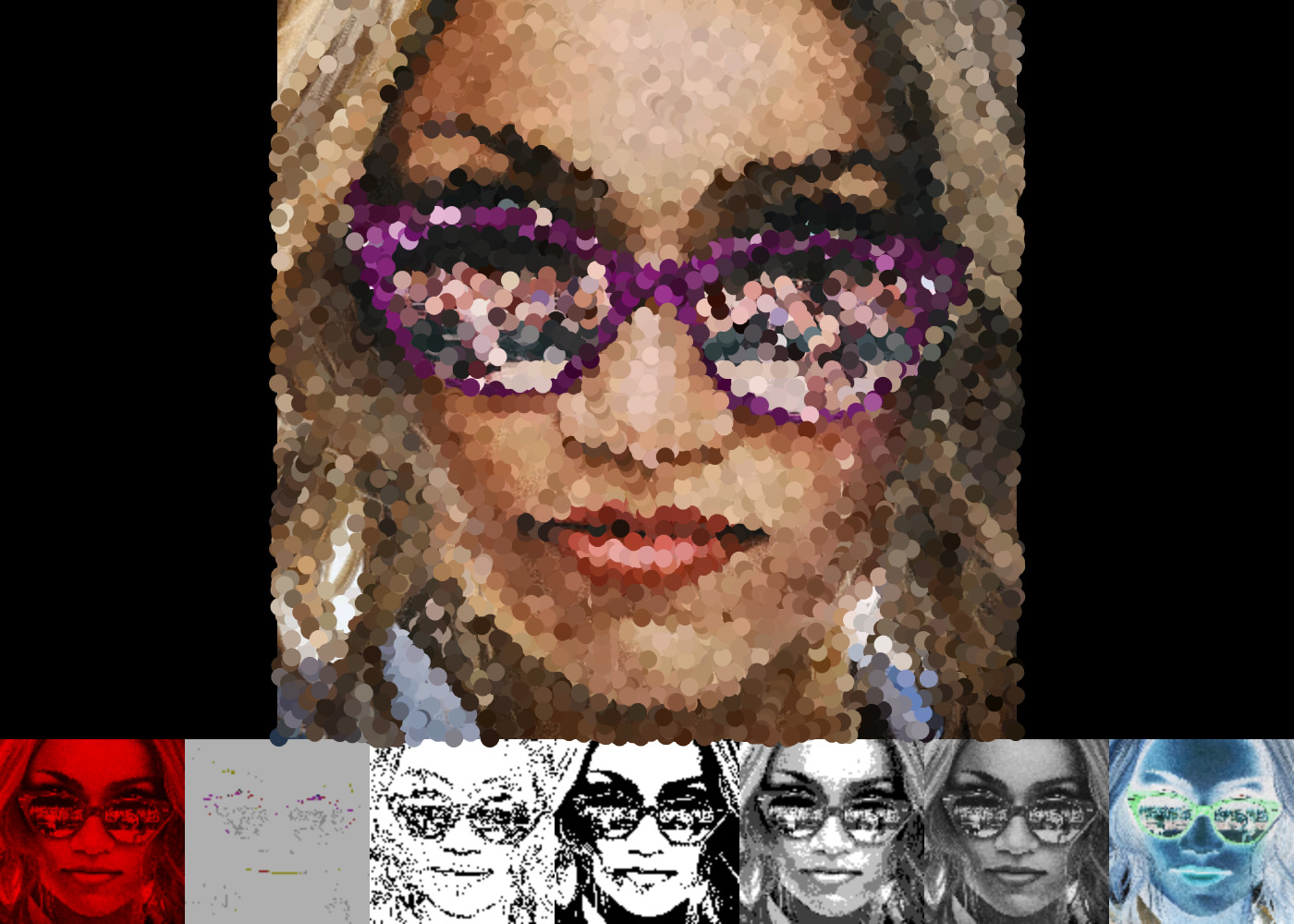
- Initial run: program renders initial image with brushStrokes
- TAB: fast-forward brushStrokes animation and progress into filter program with menu
- Filter menu: 7 thumbnails of different filters
- MOUSE-CLICK on filter menu: applies filter to central image, cycling through levels of intensity or options where available on repeated clicks
- BACKSPACE: load a new image
- ENTER/RETURN: save image in centre position
- P: run brushStrokes animation over current central image (could be filtered)
Filters:
- RGB filtering
- Preserve only R/G/B channel
- Interaction: cycle through R/G/B filtering
- Basic toon shade: posterize + edge detection
- Simple attempt at a toon shader.
- I blur the posterized image to create a softer look, and ever so slightly blur the edge so that random/anomalous edges don’t stick out too much.
- Then I add the pixel color values of these two images to create the toon look.
- Interaction: cycle through posterize levels
- Edge detection
- Laplacian function with 8 neighbors
- Threshold (single or multi level)
- For single, use threshold to set pixels with brightnesses below to black and above to white
- For multi, use multiple thresholds to set to black, white (as above) and shades of gray for values in between
- Interaction: cycle through single-threshold levels then end and stay on multithreshold
- Halftoning
- Used above multi thresholding algorithm to render patterns of 2x2 pixels
- In order to do this, I doubled my ‘working space’ with the image, recorded my halftoned patterns into an output image of that double-size as well
- Then, I returned the output image sized down
- Grayscale with intensity
- Divide color value by intensity
- Interaction: cycle through intensity
- Invert
- Subtract RGB channels from 255.0
Additional/helper filters:
- Posterize with levels
- Reduce color depth by constraining RGB channels via given level
Code repository: https://github.com/SengulC/img_filters
Download
Install instructions
- Unzip the downloaded folder
- Double-click the file named "img_filters.exe"
Leave a comment
Log in with itch.io to leave a comment.